User-management activity logging is designed to strengthen security and guarantee traceability of administration-related actions.
With this feature, every critical user-management operation is automatically recorded, giving you full, continuous visibility into the actions performed.
What is logged
The system automatically records every important user-management action in real time.
These logs are essential for ensuring security, traceability, and accountability in platform administration. They're retained for 12 months.
Which actions are recorded?
Creating a new user
Every time a new user is created, the system records:
- The username.
- The name of the administrator who created the user.
- The date and time of the action.
Deleting a user account
When a user is deleted, the following is recorded:
- The name of the administrator who performed the deletion.
- User deleted.
- The date and time of the action.
Changing a user's license
Every license change is tracked with:
- The name of the user concerned.
- The name of the administrator who made the change.
- The previous license type.
- The new license type.
- The date and time of the action.
Changing administrator rights
Any change to a user's client-space administrator access is also logged:
- The name of the user whose rights changed.
- The name of the administrator who granted or removed the rights.
- The date and time of the action.
Which channels trigger logging?
Every action is logged, regardless of how it was performed:
- User interface (UI): any action performed manually through the graphical interface.
- API: any action triggered by API calls.
- File import: any action resulting from importing a file (CSV).
Where can I view these logs?
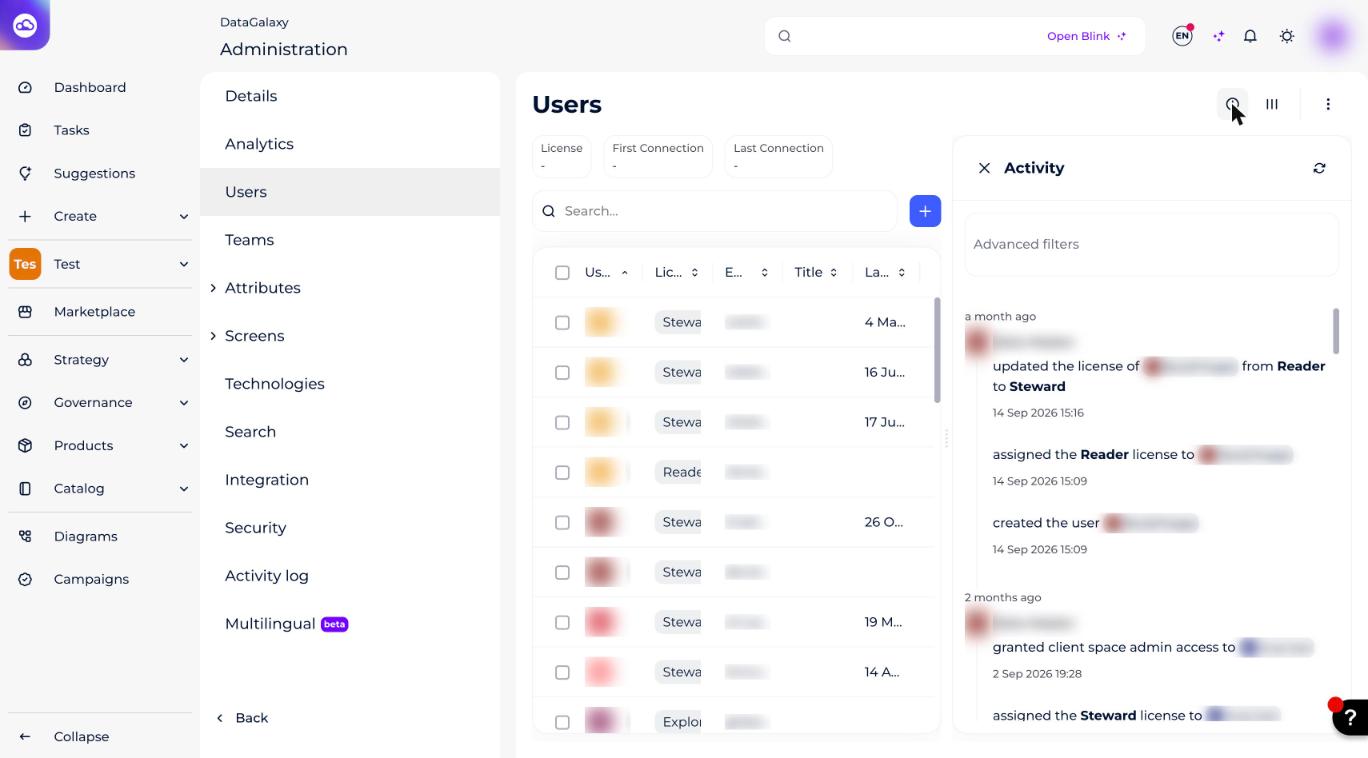
User-management activity logging is available to client-space administrators from the Users tab.
Administrators can click the button in the top right of the screen to open a panel showing all available logs.
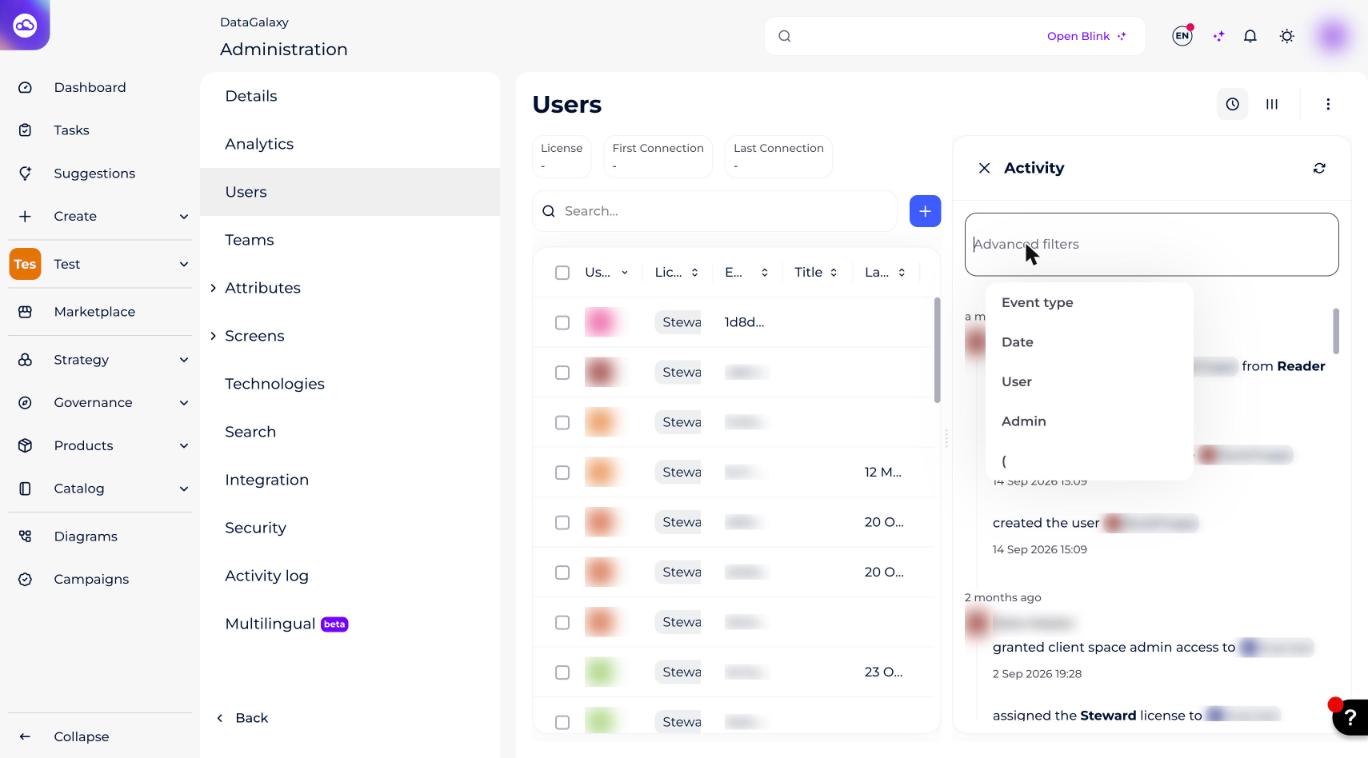
To make the logs easier to review, we provide a full set of filters that let administrators navigate and analyze recorded activity efficiently.
Available filters include:
- Activity type: user creation, user deletion, user license update, user reassignment (User Swap), administrator rights update.
- Date: narrow your search to a specific period for more precise tracking.
- User concerned: filter by the user the action was performed on.
- Administrator who performed the action: identify the author of changes or interventions.