This article describes how DataGalaxy JSON Schema connector works.
This connector is available in the following modes:
| Desktop mode ✅ | SaaS Online mode ❌ |
|---|
What is a JSON Schema ?
A JSON Schema file allows to describe the metadata and define rules on the structure of another JSON file. A JSON Schema file can for example be used to describe and control the content of a Kafka topic.
The syntax of a JSON Schema is defined by the specification published here : https://json-schema.org/specification.html .
For example, to specify the format of the following file :
{
  "productId": 1,
  "productName": "A green door",
  "price": 12.50,
  "tags": [ "home", "green" ]
}
The following JSON Schema could be used :
{
  "$schema": "https://json-schema.org/draft/2020-12/schema",
  "$id": "https://example.com/product.schema.json",
  "title": "Product",
  "description": "A product from Acme's catalog",
  "type": "object",
  "properties": {
    "productId": {
      "description": "The unique identifier for a product",
      "type": "integer"
    },
    "productName": {
      "description": "Name of the product",
      "type": "string"
    },
    "price": {
      "description": "The price of the product",
      "type": "number",
      "exclusiveMinimum": 0
    },
    "tags": {
      "description": "Tags for the product",
      "type": "array",
      "items": {
        "type": "string"
      },
      "minItems": 1,
      "uniqueItems": true
    }
  },
  "required": [ "productId", "productName", "price" ]
}
For more examples, you can check the following tutorial : https://json-schema.org/learn/getting-started-step-by-step.html .
Connector Overview
Connector allows you to import objects into a NoSQL source from one or more JSON Schema files (default .json file) stored in a directory accessible by the connector.
The extracted objects and their correspondences are detailed in the following table:
| JSON Schema Object | DataGalaxy Object | Comments |
|---|---|---|
| Object | Document | Object defined by the JSON Schema file |
| Properties | Field / SubStructure | Object properties If the property is a complex object containing child properties, a sub structure will be created in DataGalaxy. |
| Object ref | SubStructure | Object references are resolved and represented using a substructure. The properties of the referenced object are represented as children of this substructure. |
Step 1 : Installation
- Download DataGalaxy connector from the portal (see here)
- Extract the connector archive in the directory of your choice
- Download the JSON Schema plug-in from the portal and copy it into the /lib directory of the connector
Step 2 : Run JSON Schema connector
- After starting the connector, access to Dictionary connectors:
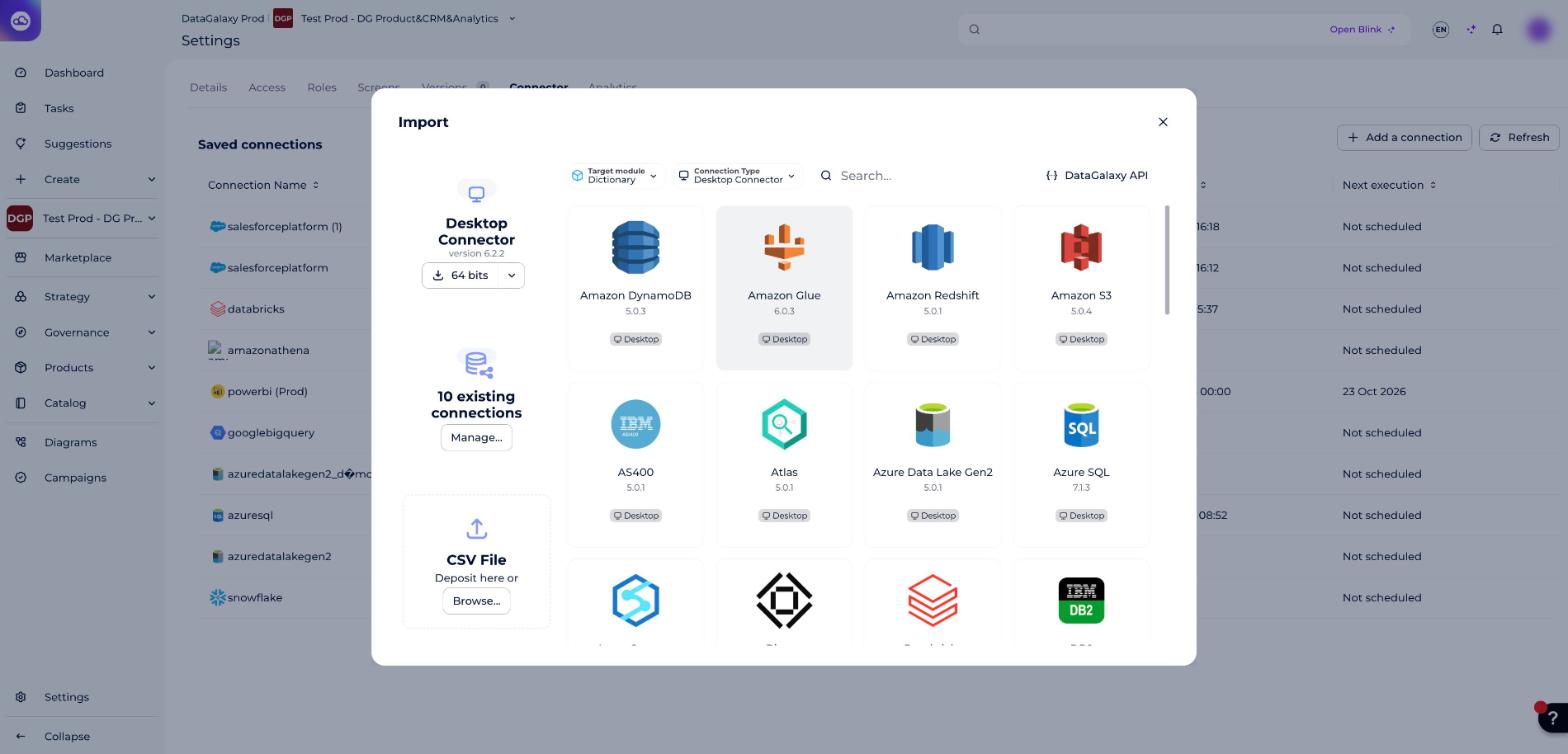
- If it has been correctly installed, the JSON Schema plug-in appears in the list
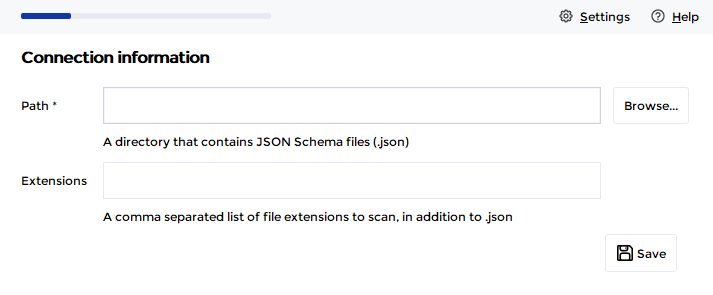
- The following information is requested:
| Parameter | Mandatory | Description |
|---|---|---|
| Path | Yes | Path of the directory that contains the JSON Schema files |
| Extensions | No | Comma-separated list of extensions to be detected by the connector in addition to the default .json extension. For example: json-schema, jsonschema |
Once this information is filled in, you can test the connection and start the import.
Technical information
Link to JSON Schema documentation: https://json-schema.org/
Releases
| Date | Plugin Version | DataGalaxy release | Desktop connector version (minimum) | Description |
|---|---|---|---|---|
| 29/09/2026 | 4.0.1 | 3.423.0 | 6.2.2 | New internal implementation to fix security vulnerabilities |
| 26/07/2024 | 3.0.0 | v3.62.0 | 5.0.3 | Migrated from java 11 to java 17 |