This article describes how DataGalaxy Apache Atlas connector works.
This connector is available in the following modes:
| Desktop mode ✅ | SaaS Online mode ❌ |
|---|
The connector allows you to retrieve only the metadata from Apache Atlas. To connect to MongoDB, please use the MongoDB Online connector.
Connector Overview
Atlas connector imports metadata from a database into a DataGalaxy database source object.
The extracted objects and their correspondences are detailed in the following table:
| Atlas Object | DataGalaxy Object | Comments |
|---|---|---|
| Connection | Model (Container) | For a Hive table, the connection will correspond to the HDFS path targeting the source data files |
| Table | Table (Structure) | Extraction of the following entity types: hbase_table, hive_table and Table |
| Column | Column |
Step 1 : Installation
- Download DataGalaxy connector from the portal (see Download and Install the Desktop Connector)
- Extract the connector archive in the directory of your choice
- Download the Atlas plug-in from the portal and copy it into the /lib directory of the connector
Step 2 : Run Atlas connector
- After starting the connector, access to Dictionary connectors:
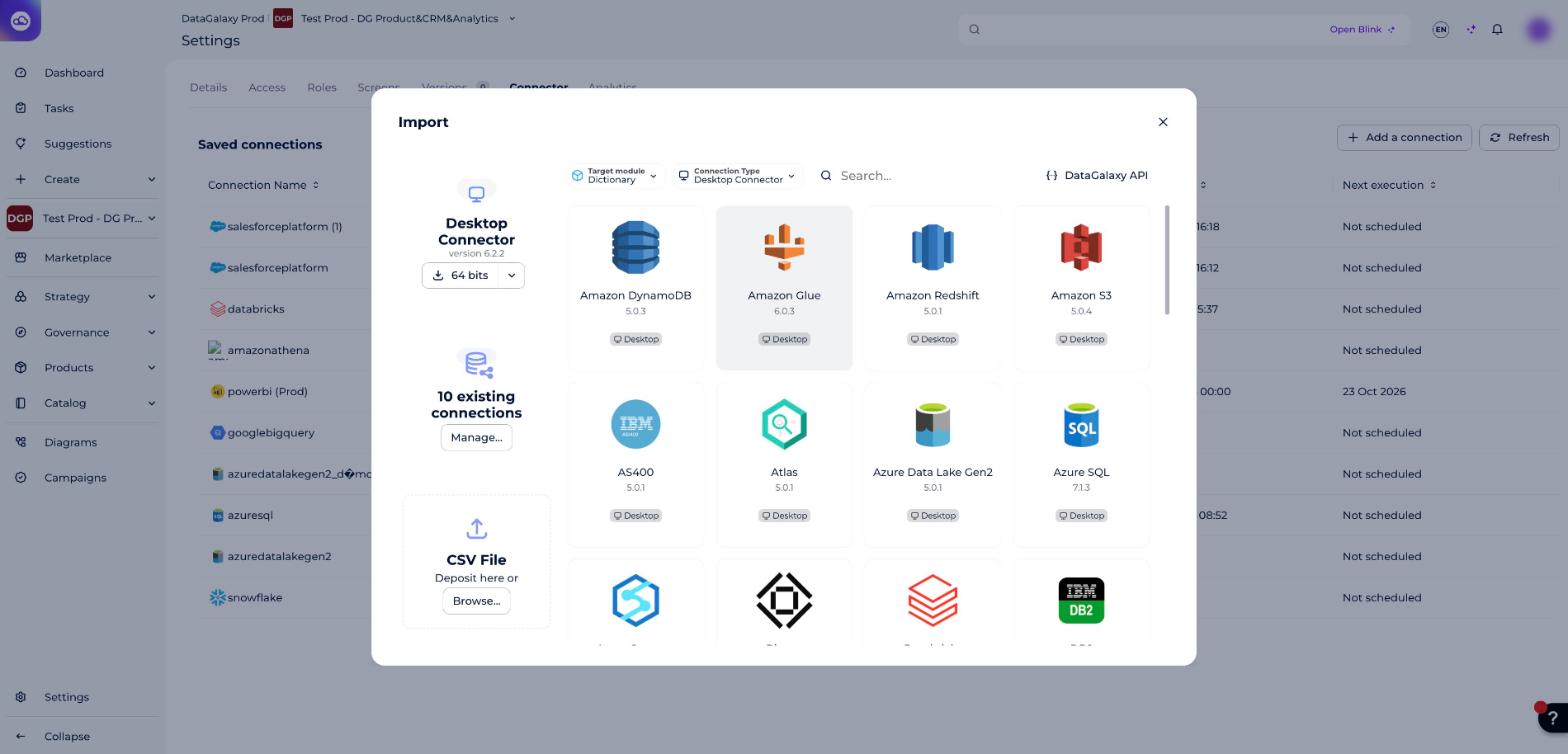
- If it has been correctly installed, the Atlas plug-in appears in the list
The following information is requested:
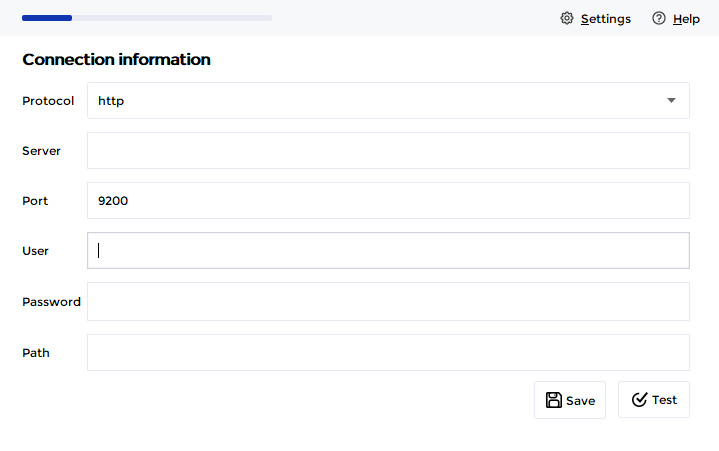
| Parameter | Mandatory | Description |
|---|---|---|
| Protocol | Yes | Protocol selection: HTTP or HTTPS |
| Server | Yes | Apache Atlas server name |
| Port | Yes | 9200 by default, to be modified if the server configuration is different |
| User | Yes | |
| Password | Yes | |
| Path | No | parameter that allows to add a prefix to the Atlas connection URL |
These parameters will be used to build the Atlas REST API endpoint address:
protocol://server:port/path/api/atlas/v2/...
Technical information
The Apache Atlas connector uses the server's REST API, more information available here: https://atlas.apache.org/api/v2/index.html
Releases
| Date | Plugin Version | DataGalaxy release | Desktop Connector version (minimum) | Description |
|---|---|---|---|---|
| 29/09/2026 | 5.0.1 | 3.423.0 | 6.2.2 | New internal implementation |
| 23/08/2024 | 4.0.2 | v3.69.0 | 5.2.3 | Updated the logger to show more information when using verbose mode |
| 16/07/2024 | 4.0.1 | v3.59.0 | 5.0.1 | Migrated from java 11 to java 17 |