Uses describe how data is consumed in your organization. You can create them in a project and delete them one at a time or in bulk.
To understand the module concept, see "DataGalaxy's main concepts".
How to create a use
You can create uses associated with a project (workspace). Uses can be created from the project dashboard and from the Uses module homepage.
- Open the project of your choice.
- In the left sidebar, click Create, then Add an object.
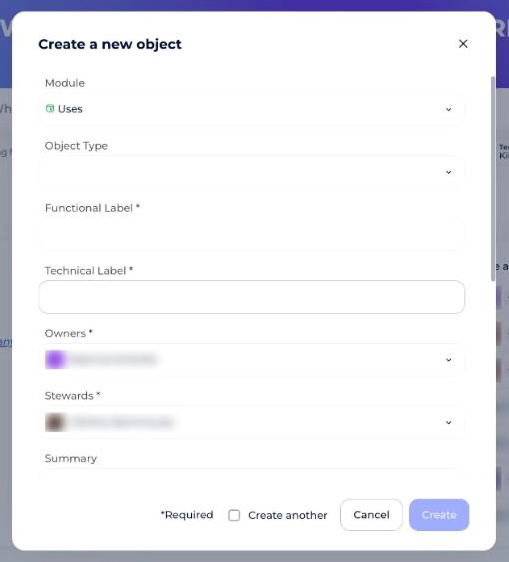
- In the Create a new object window, choose the Uses module.
- Fill in:
- The object type
- The functional label and the technical label
- The owners and stewards
- The summary
- Click Create. Tick Create another to chain several creations.
How to delete uses
You can delete a single use (detail view) or several uses (list view).
How to delete a single use
- Open the Uses module.
- Click the use you want to delete.
- Click the Delete button.
How to delete several uses
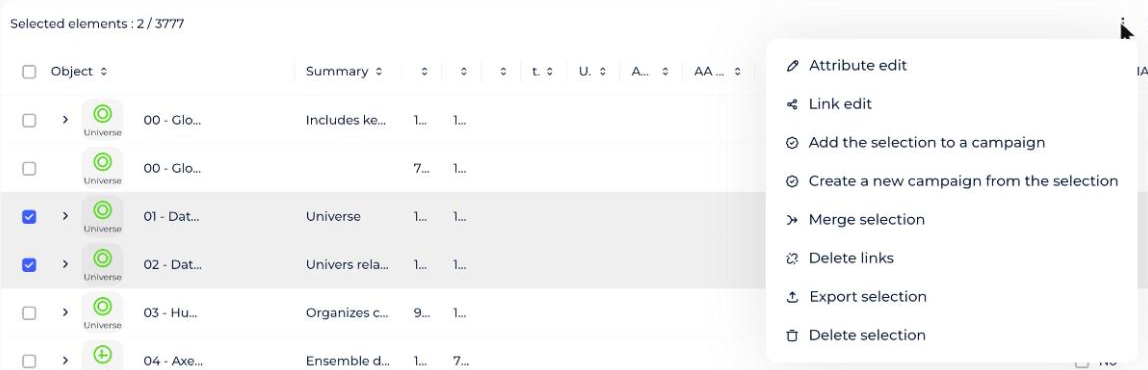
- Switch to List view.
- Select the uses you want to delete.
- Click Delete selected items.
- Click Yes to confirm. The selected uses are deleted.