Notification preferences control how long DataGalaxy keeps your notifications before deleting them. You set that duration yourself, in days.
How to set how long notifications are kept
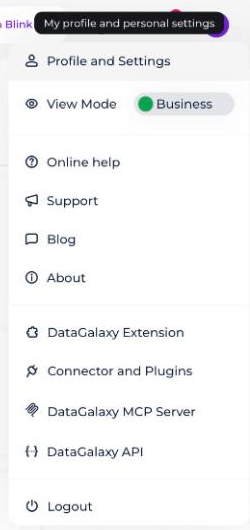
- Click your icon at the top right of the screen to open your profile.
- Click your name in the drop-down menu.
- Select the Preferences tab.
- Scroll down to the Notifications section and enter the duration you want.
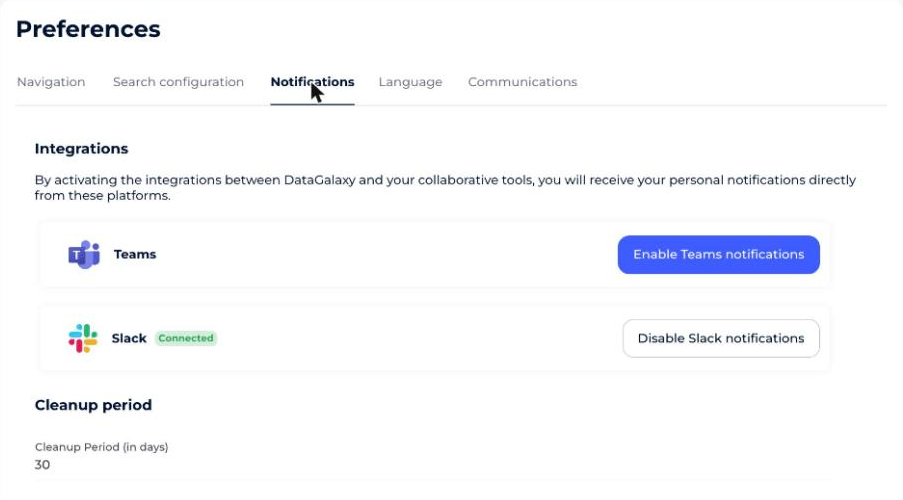
Once the duration you set has passed, your notifications are permanently deleted.