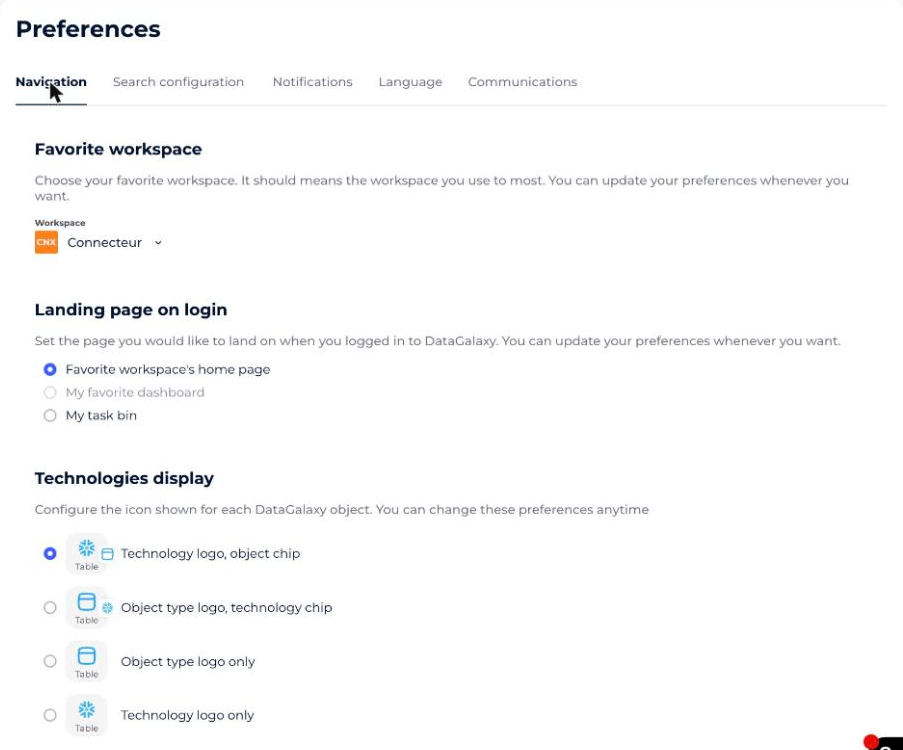
Navigation preferences control where DataGalaxy takes you when you log in and how technologies appear on object files.
What can you set?
- Your favorite workspace
- The page you land on when you log in
- How technologies are displayed on object files
The landing-page setting does not apply when you reopen DataGalaxy.
How to set your navigation preferences
- Click your icon at the top right of the screen to open your profile.
- Click your name in the drop-down menu.
- Select the Preferences section.
- Click the Navigation tab and choose the settings you want.