Moving an object means changing its parent.
This option is available for objects in any module that can have a parent, either from list view or from the descendants section of the service panel.
How to move an object
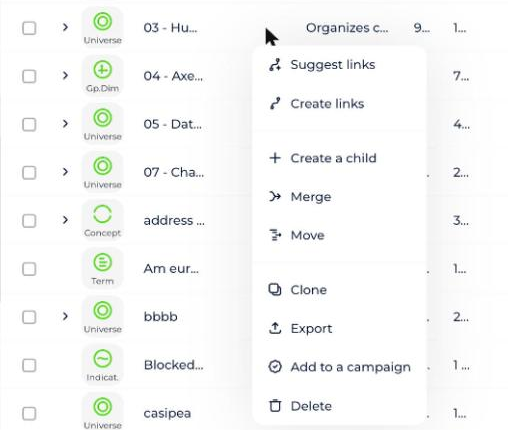
- Click the object's context menu to open a dropdown.
- Select Move.
- Check the object's type, label, and parent in the modal that opens.
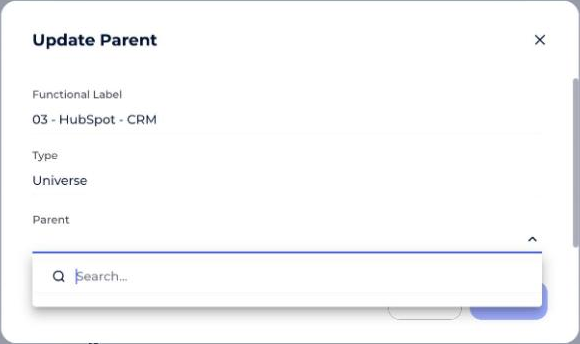
- Edit the parent field — either replace it or clear it.
- Click Update.