Each workspace is built around modules, each structuring the knowledge on a different aspect of your data.
What are the four core modules?
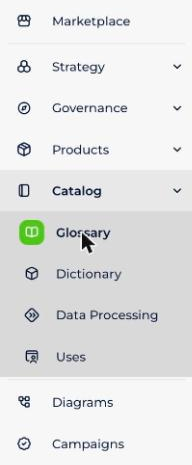
The four core modules together answer four questions: what data is available, where is it stored, how is it used, and why is it used?
| Module | What it is for | Read more |
|---|---|---|
| Glossary | A repository of definitions whose goal is to build a knowledge base for all users, whether IT or business. By managing data properties and the relations between them, it helps to contextualize your data. | Glossary module |
| Dictionary | A shared visualization of your data sources, whether structured or not, offering an ergonomic and simple environment to enhance collaboration. | Dictionary module |
| Data Processing | The module where you define the data flows between the different data sources of your workspace. By linking input and output data sources through data processing, it helps to visualize the links and transformation rules between your data. | Data Processing Module |
| Uses | Lets you map the tools that use data, whether based on a database (mobile application, web…) or a dashboard. It explains to users the source of the data used and lets you analyze the impact of a modification. | Uses module |
These modules contain different types of objects organized around an out-of-the-box metamodel.
Each object type in a module has its own object card, made of specific and common attributes.
Which other modules are available?
The platform also includes the Strategy, Governance, Products and Marketplace modules. Strategy, Governance and Products are optional — contact your account manager to enable them:
- Strategy: defines the company's strategic objectives, initiatives and associated use cases
- Governance: defines governance policies, their implementation rules and the monitors that watch their application
- Products: defines your catalog of data and AI products
To follow data across modules, see the Lineage section of this knowledge base.