Shortcut attributes let you jump straight from one object card to a related object. This article explains what they are, how to add them to your screens, and which links each object type offers.
What is a shortcut attribute?
A shortcut attribute is an attribute available in the screens of the object card that creates a direct link from the object concerned to an object of another (or the same) module. The linked object is clickable and opens the object's preview.
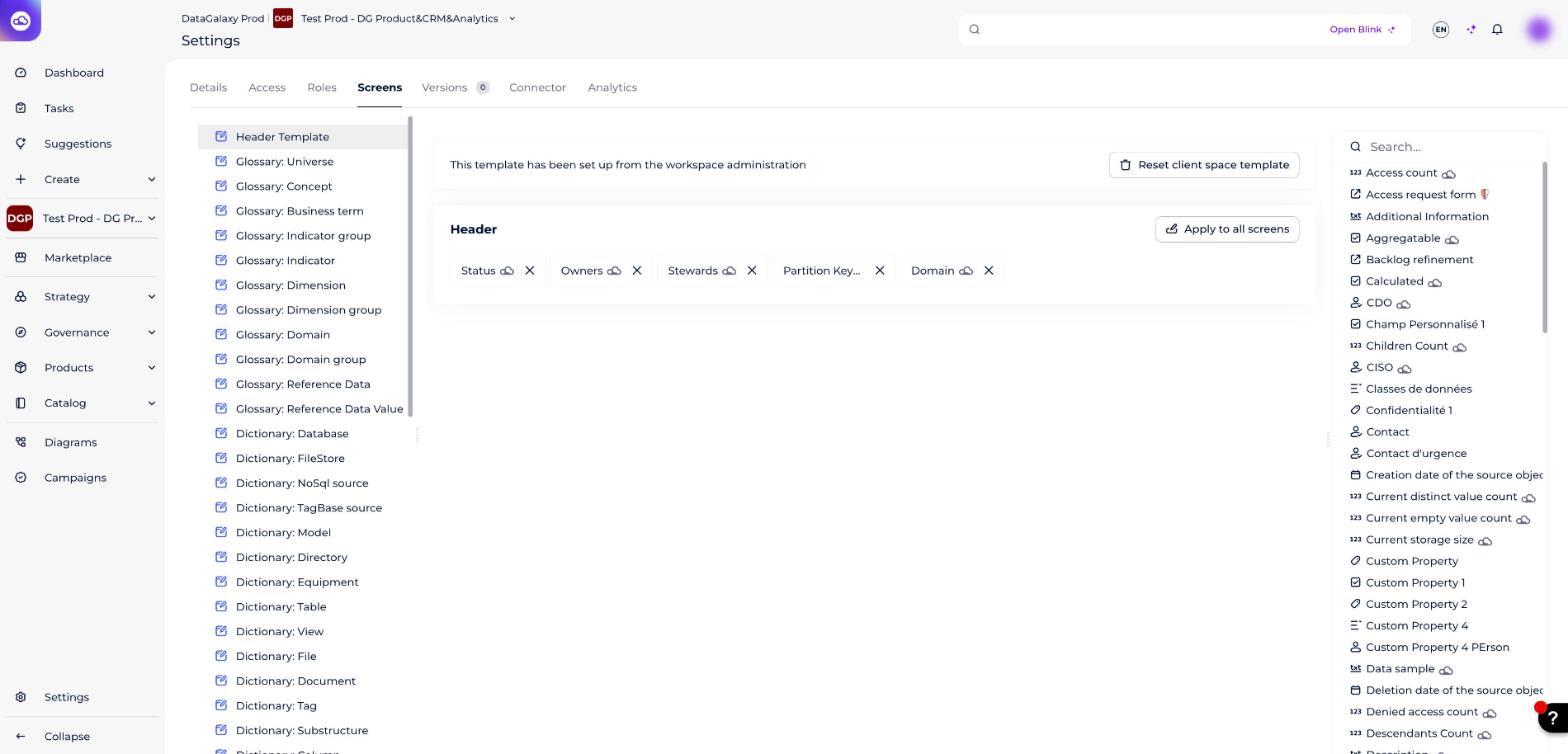
How to add a shortcut attribute
- Click on your icon at the top right of the screen.
- Click on Administration in the drop-down menu.
- Go to the Screens section in the left menu.
- For each module object, drag and drop the shortcut attributes available in the right column that you want to appear in your screens.
Shortcut attributes can be recognized by a dedicated icon.
Which links are available?
This attribute is available for the following objects. In the original article this is a table of from object / link / to object; here each object's links are listed on one row.
| From the object | Shortcut links (link → to the object) |
|---|---|
| Universe | has for domain → Domain has for parent → Parent |
| Concept | is part of the dimension → Dimension has for domain → Domain uses → Usage has for recording system → Source has for parent → Parent |
| Business term | is part of the dimension → Dimension has for domain → Domain uses → Usage has for reference data → Reference data has for recording system → Source has for parent → Parent |
| Indicator group | uses → Usage has for recording system → Source has for parent → Parent has for domain → Domain |
| Indicator | is declined according to the dimension → Dimension has for domain → Domain uses → Usage has for recording system → Source has for parent → Parent |
| Dimension | has for domain → Domain has for universe → Universe has for parent → Parent |
| Dimension group | has for domain → Domain has for universe → Universe |
| Domain | has for parent → Parent |
| Reference data | has for domain → Domain uses → Usage has for parent → Parent |
| Reference data value | has for parent → Parent |
| Source | has for domain → Domain has for universe → Universe uses → Usage |
| Container | has for domain → Domain has for universe → Universe has for parent → Parent |
| Structure | has for domain → Domain has for universe → Universe uses → Usage has for parent → Parent |
| Field | has for domain → Domain has for universe → Universe uses → Usage |
| Data flow and Data processing | has for domain → Domain has for universe → Universe has for parent → Parent |
| Application | proposes the dimension → Dimension has for domain → Domain has for source → Source has for universe → Universe has for parent → Parent |
| Screen | has for domain → Domain has for source → Source has for universe → Universe has for parent → Parent |
| Dashboard | proposes the dimension → Dimension has for domain → Domain has for source → Source has for universe → Universe has for parent → Parent |
| Report | proposes the dimension → Dimension has for domain → Domain has for source → Source has for universe → Universe has for parent → Parent |
| Algorithm | has for domain → Domain has for source → Source has for universe → Universe has for parent → Parent |
| Dataset and Open dataset | proposes the dimension → Dimension has for domain → Domain has for source → Source has for universe → Universe has for parent → Parent |
| Process | has for domain → Domain has for source → Source has for universe → Universe has for parent → Parent |
| Usage | has for domain → Domain has for source → Source has for universe → Universe has for parent → Parent |
| Feature | proposes the dimension → Dimension has for domain → Domain has for source → Source has for universe → Universe has for parent → Parent |