Tags are an attribute format intended to help you classify your data. This article covers what they are, who can create them, and how to create, import and export them.
What are tags and why use them?
Tags are part of the attributes: a field among those proposed by DataGalaxy which, when grouped into categories, makes it possible to build an identity card for objects, also called the object card. For a detailed list of all the attributes and how they work, see Presentation of Attributes.
Each tag has a color, which you can choose from a wide palette, which makes it easy to identify the group to which an object tagged with it belongs.
Several classifications are possible depending on your project with DataGalaxy. For example, you can choose a classification by field: Marketing, Sales, Finance, HR.
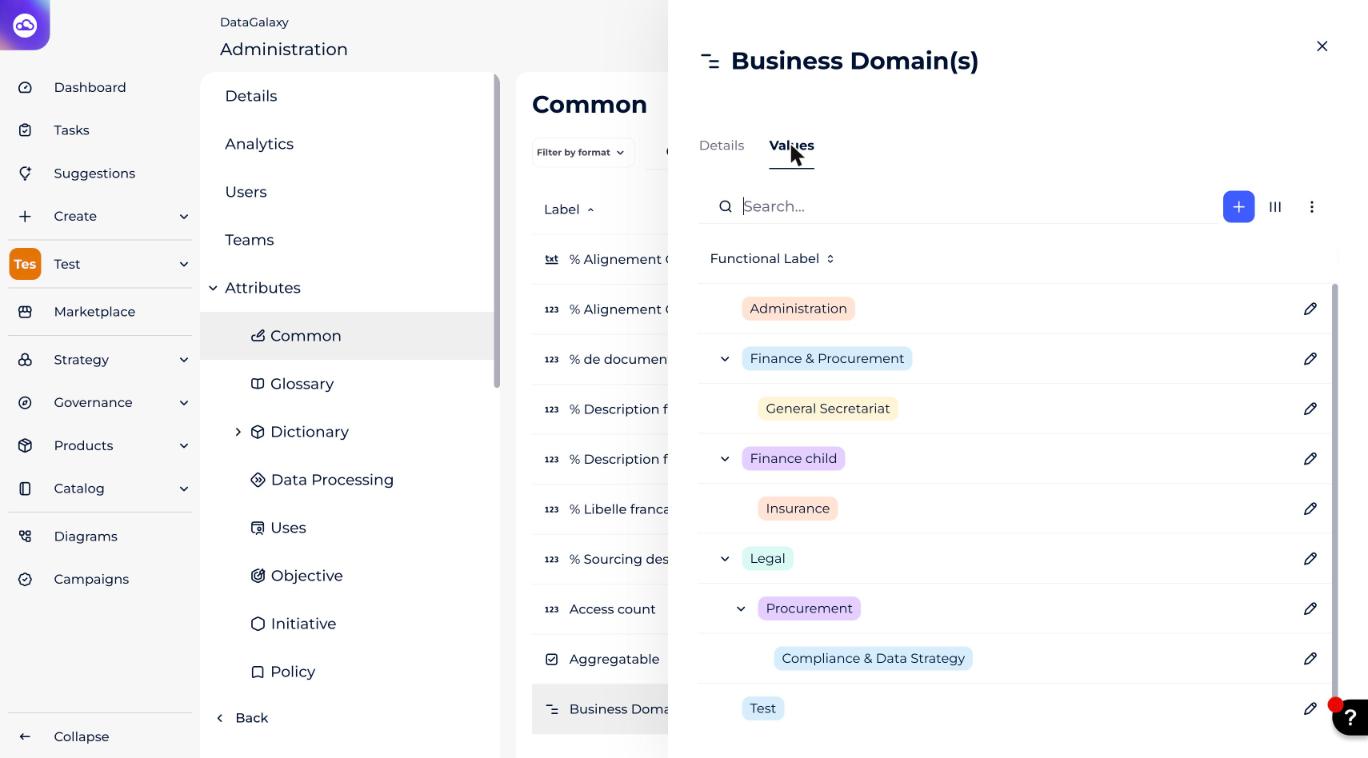
For more precision in classification, you can also create a hierarchy in tags. For example, you can create a "Marketing" category, then several categories such as "e-commerce" and "CRM" that belong to the main category.
Who can create tags?
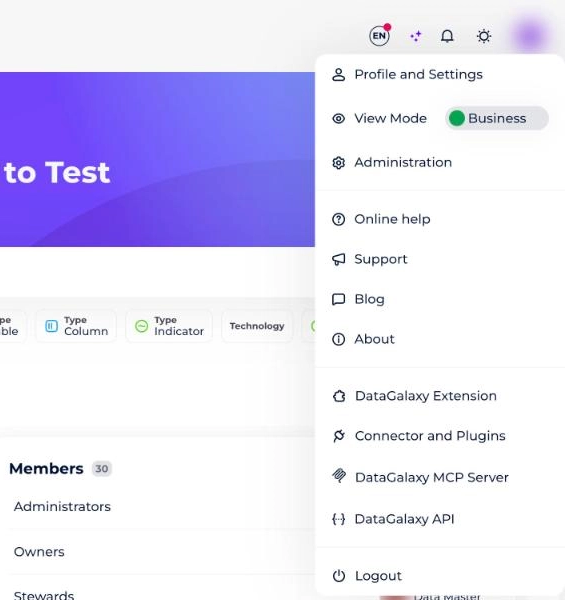
To create tags, you must be a client space administrator. To check whether you have these rights, go to your profile and open the drop-down menu: the Administration tab should appear. To learn more about the administrator profile and how DataGalaxy's authorizations and licenses work, see Overview of License Management.
How to create tags
- Click on your avatar to access the main administration.
- Click on the Attributes tab in the menu on the left.
- In the vertical navigation bar, click Attributes, then the object for which you want to add custom fields.
- Click on the Create button and select the "tag" type. If you want to create a hierarchy with several tags, select the "hierarchy" type and then create the tags that will belong to this hierarchy.
- Fill in the information for this field (name, description, default value…).
How to import and export tags
Both start from the attributes administration:
- Click on your avatar to access the main administration.
- Click on the Attributes tab in the menu on the left.
Export tags
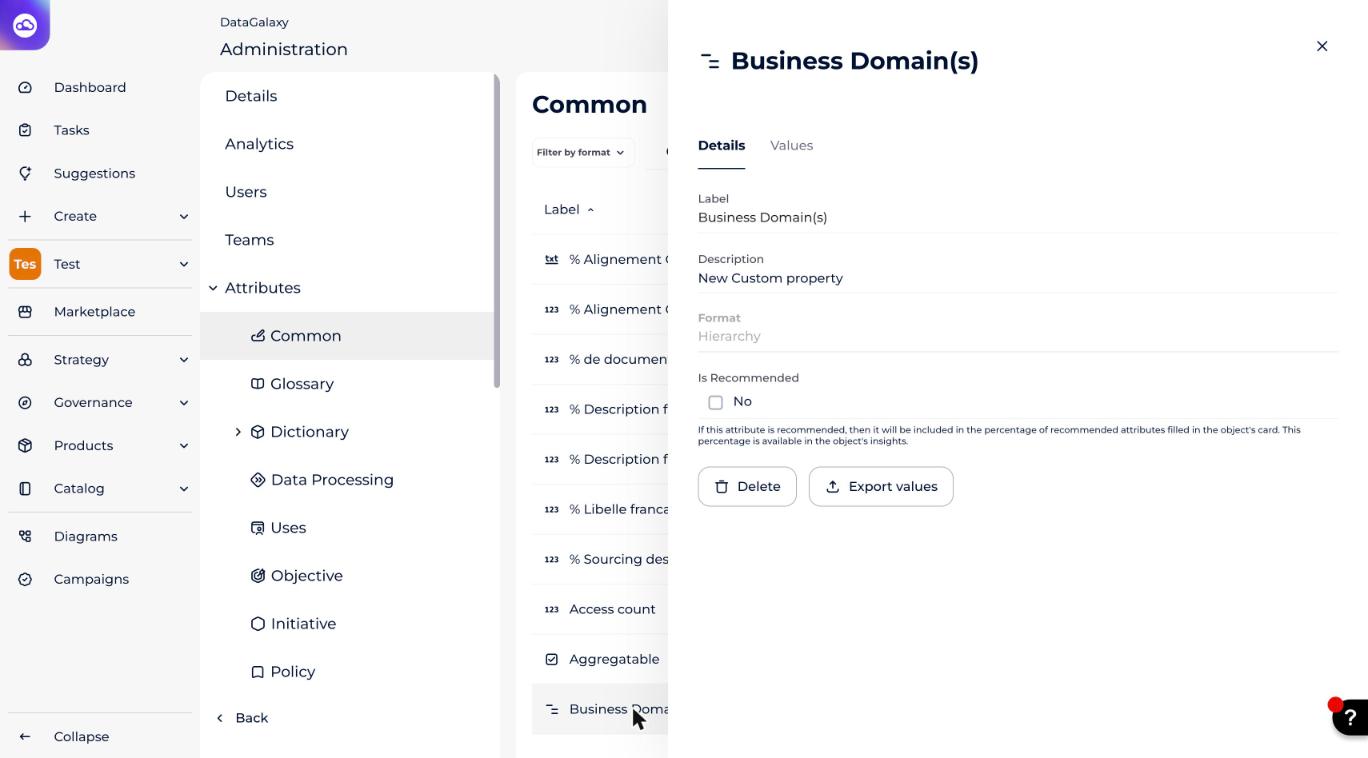
- Choose the hierarchy you want to export.
- Click on Export values.
Import tags from a CSV file
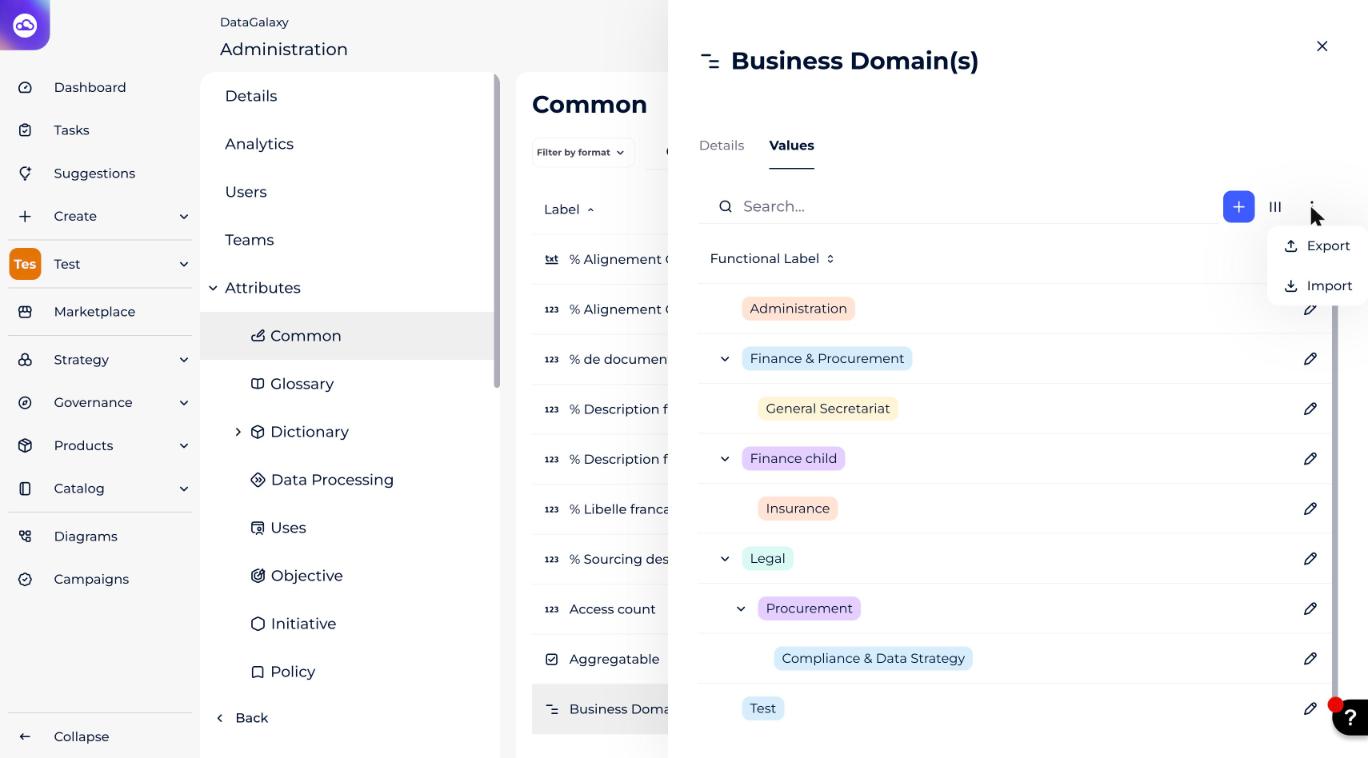
- Choose the hierarchy or tag into which you want to import data.
- Go to the Values tab.
- Click on the three dots and choose Import.
How do tag suggestions work?
Thanks to the suggestions tool, DataGalaxy can detect data that is a priori linked and generates suggestions to help you tag your data.
Suggestions are generated based on keywords that describe your attributes, such as "tag" or "hierarchy". That is why it is important that these keywords be as relevant and explicit as possible.
To learn more about how suggestions work, see MetaBot.