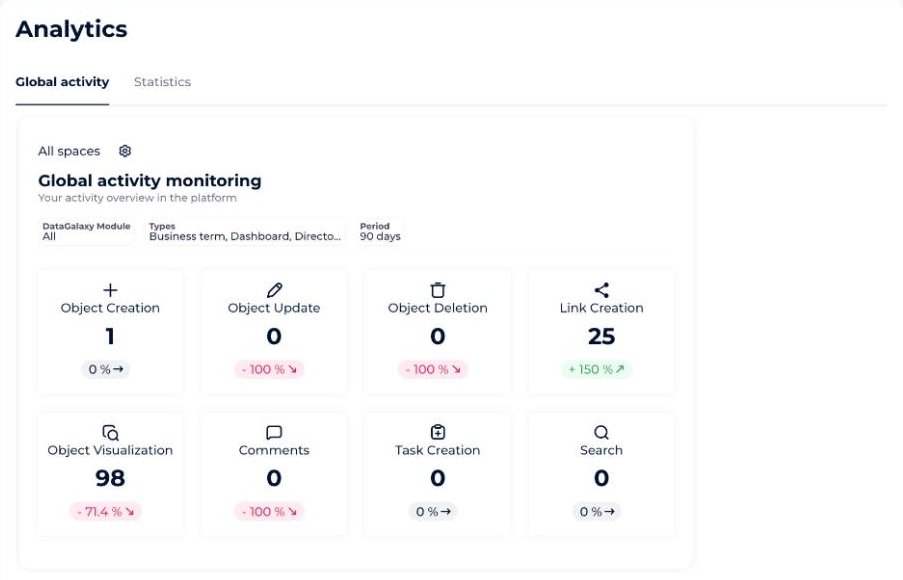
The Global Activity dashboard follows what you do on the platform: objects you have viewed, comments you have left, tasks you have created, searches you have run, and more.
It lives in your own profile, so it shows your activity only.
How to open the Global Activity dashboard
- Click your icon at the top right of the screen.
- Click Profile and Preferences in the drop-down menu.
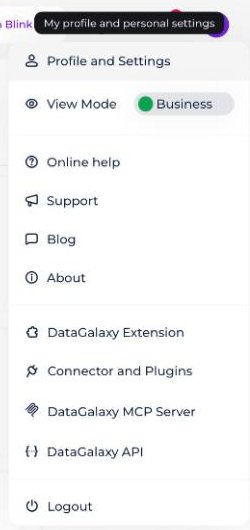
- Select the Analytics tab, then Global Activity.
What the dashboard shows
A widget displays 8 synthetic indicators that let you monitor your overall activity within the platform, along with 3 analysis axes presented as filters you can apply to the widget.
With a Reader license, only 4 indicators are displayed in the widget:
- Object Visualization
- Comments
- Task Creation
- Search
To find out more, refer to the articles Monitor global activity and Global activity indicators. They have not been migrated to this Notion knowledge base yet. Once they are, link them here.