The Analytics section in the administration lets you track the overall activity in DataGalaxy.
Who can monitor global activity?
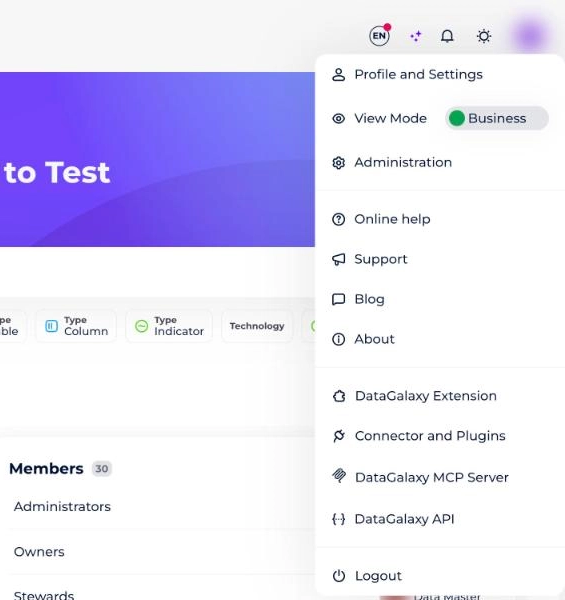
To monitor global activity, you must be a client space administrator. To check whether you have these rights, go to your profile and open the drop-down menu: the Administration option should be present. If it isn't, you are not an administrator.
How to monitor global activity
Administrators who want to monitor global activity should:
- Click on the icon at the top right of the screen.
- Select Administration from the drop-down menu.
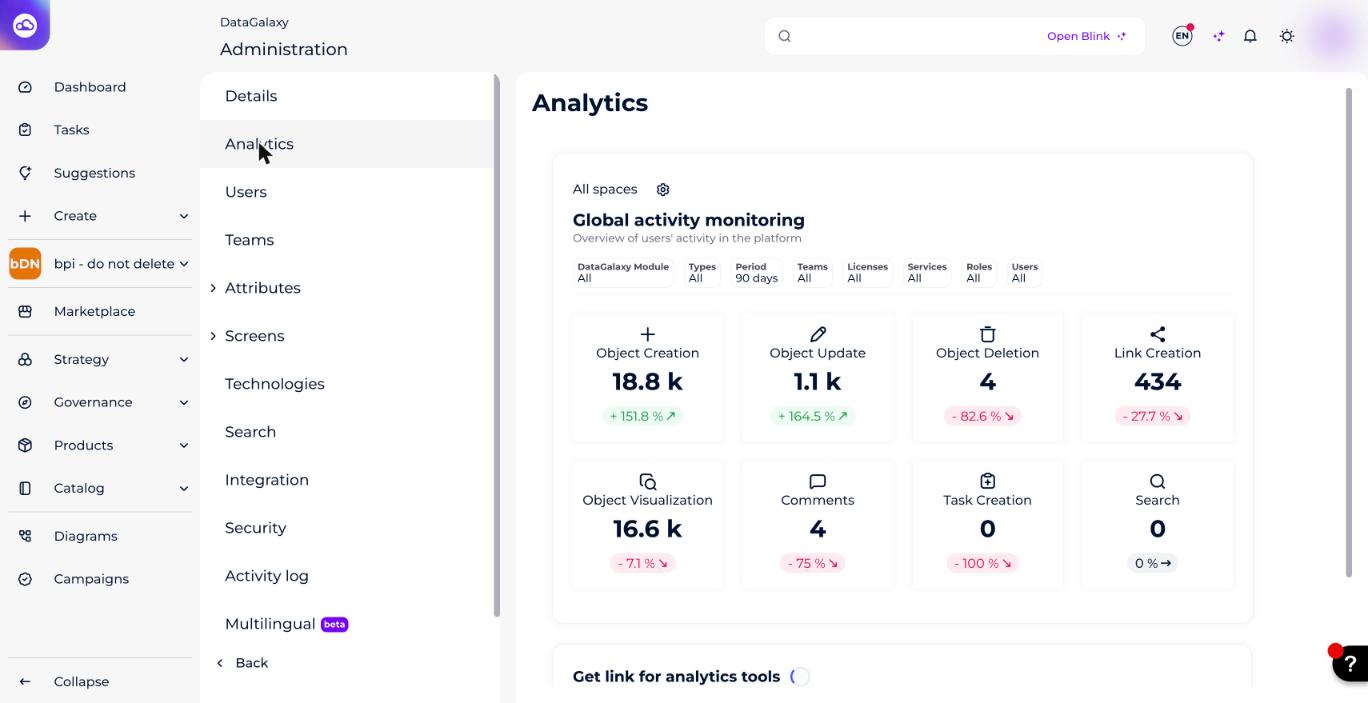
- Go to the Analytics section.
- Reconfigure the widget to analyze the 8 available indicators. To learn what each indicator counts, see Interpret Global Activity Indicators.
How to edit the global activity widget
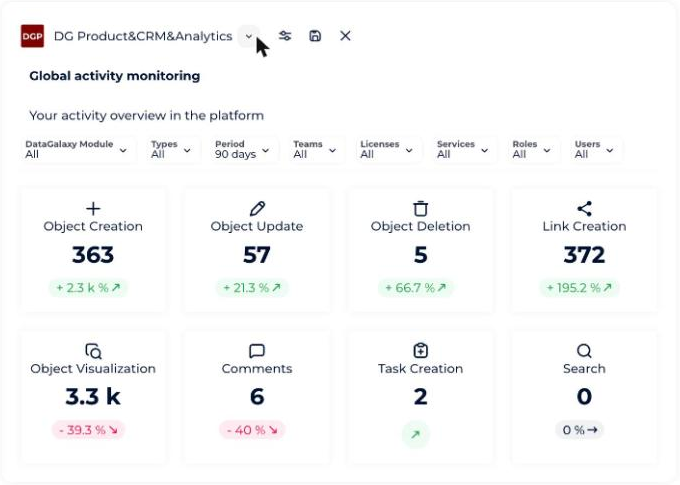
By default, filters are applied to the different indicators within the widget. To edit the widget, click on the Configure button (the gear icon next to the workspace name at the top of the widget) to activate the editing mode. The filters can be configured directly on the widget.
What you can change
After clicking on the Configure button, you can:
- Update the workspace and version
- Update the widget title and description
- Update the filters
- Hide the description
- Hide the filters bar
- Show the filters bar
- Reset filters
How to save your changes
After you have finished all your changes, click on the Save button to save the widget and exit the edit mode.
How to cancel your changes
- To cancel the current changes and return to the previous version, click on the Close button without saving.
- To return to the DataGalaxy default configuration:
- Click on the Configure button to activate the edit mode.
- Click on the Edit button.
- Click on the Reset filters button.
