A client space's general information lives on its Details page, alongside your subscription plan and a snapshot of current usage.
Who can access it?
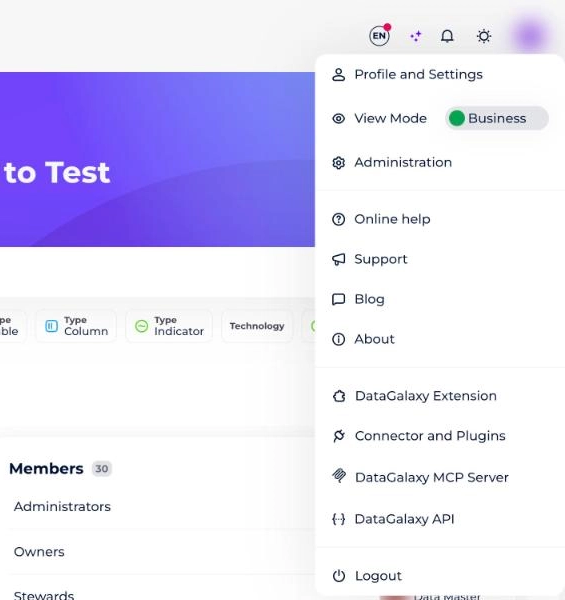
To access the client space's general information, you need to be a client-space administrator. To check whether you have these rights, go to your profile and open the dropdown menu — an Administration option should appear. If it doesn't, you're not an administrator.
How do I access it?
General information lives in the Details section of the administration area. To get there:
- Click your icon in the top right of the screen.
- Select Administration from the dropdown. You're taken to the Details section automatically.
What does the client space's general information cover?
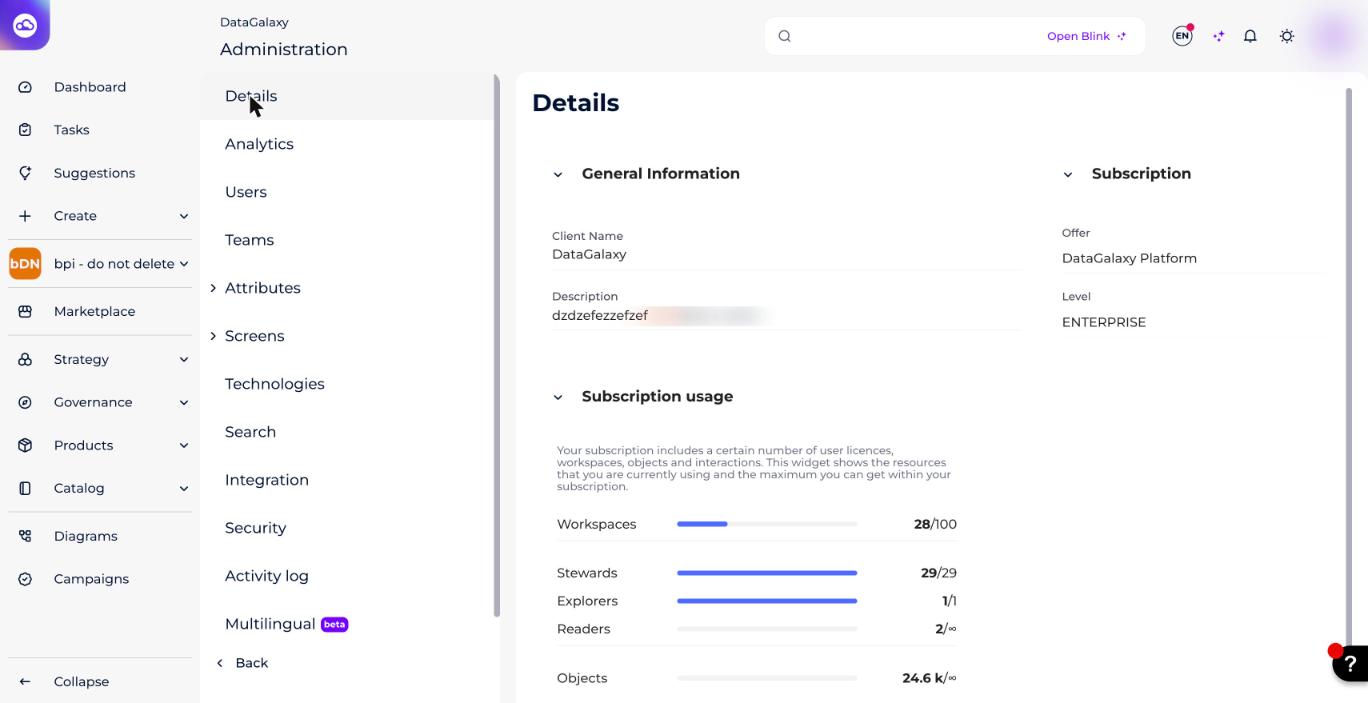
The client space's Details page has 3 sections:
1 — General information (multi-workspace clients only)
Here you can view and edit:
- The client's name.
- The client space's description.
2 — Subscription
Here you can view:
- The plan you've subscribed to.
- Your plan's edition.
3 — Current status
Here you can review several statistics:
- Workspaces created vs. workspaces available.
- DataSteward licenses used vs. total available.
- DataExplorer (legacy) licenses used vs. total available.
- DataReader licenses used vs. total available.
- Objects created vs. objects available.
- Monthly interactions performed by DataReaders vs. total available.