Client-space administration is where you decide what every workspace shares: a common language, harmonized object characteristics, and shared information foundations.
The following topics are covered in more detail in complementary articles (not yet part of this migration batch): screens/object sheets, attributes, and user administration.
What is client-space administration for?
One of DataGalaxy's goals is to give an organization a coherent, shared view of its data. That requires:
- Identifying, consolidating, and sharing a common language across the organization.
- Being able to define harmonized object characteristics.
- Establishing shared information foundations for objects.
To do this, you need a common space where these elements can be built and shared. That said, depending on maturity and needs, some business domains or IT scopes will want more information, or very specific characteristics.
The client space is what lets you manage that tension between different needs. As defined in DataGalaxy's core concepts, the client space:
- Is specific to each organization: aside from a few default fields meant to kick-start the mapping exercise, every attribute is fully editable and can be categorized as needed.
- Contains the different workspaces — spaces in which different business domains can be mapped.
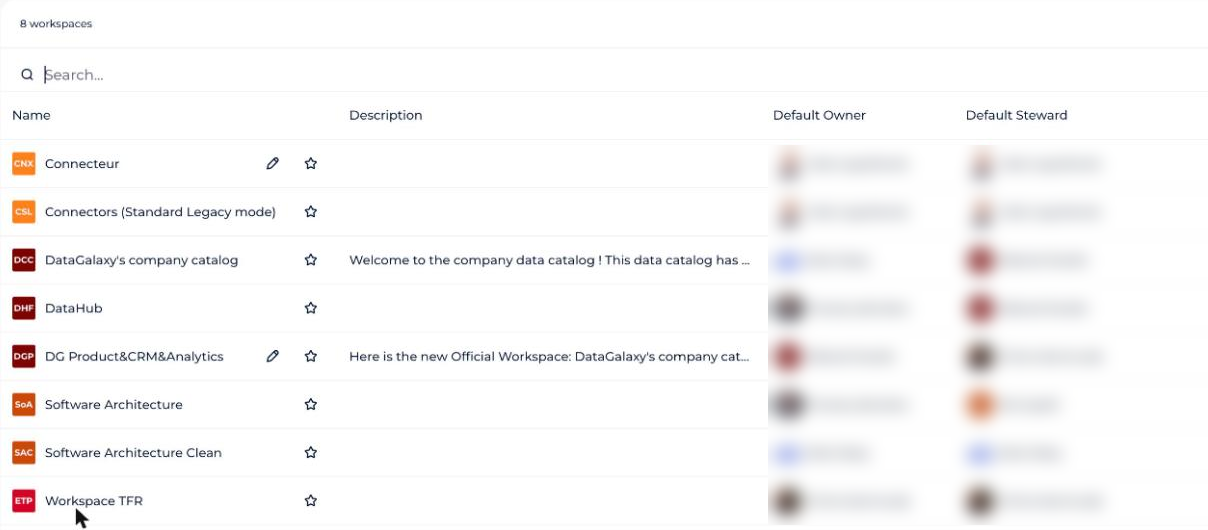
So the client space lets you create a common management template that workspaces can use fully or partially:
- Which attributes are shared, and therefore need to be present on every workspace?
- Which characteristics should be managed centrally vs. left to stewards?
- Should you create default screens to guide the mapping effort, or should each workspace design its own?
A few other things are worth thinking through when planning how the platform will be used:
- What database technologies are available — should they be managed specifically?
- Do external tools need to pull information from the platform, and if so, how should they be integrated (tokens)?
- Does everyone mentioned need to be an actual user of the solution? If not, how do you manage that efficiently?
What are the inheritance rules between the client space and workspaces?
Any setting customized at the client-space level affects every workspace — it acts as DataGalaxy's "default" version.
However, workspaces can also be customized (only with a Data Steward license). A workspace admin can take control of their workspace to customize it — adding or removing fields, for example — making it more relevant to their needs. In that case, those customizations don't affect other workspaces.
The diagram below summarizes the main characteristics of the client space and workspace, and the one-way inheritance relationship between them: