Universes and domains organize glossary objects into a vertical hierarchy and into secondary groupings, which together give you a matrix view of your data.
Why is this important?
It is difficult to present data sets, which are very often complex, in a simple and understandable way: how do you highlight a group of data? How do you surface important but secondary concepts? How do you make this understandable according to the use case and the target audience?
The ability to organize your glossary is therefore key to making it understandable. It lets you:
- Facilitate access to data
- Improve user understanding
- Facilitate searches
- Highlight data groupings
What you need to know before you start
- The concept of path (see the DataGalaxy objects article)
How to classify the glossary
To classify the glossary, we generally use two objects: the universe and the domain.
The universe is a container that lets you organize your objects hierarchically, in other words vertically. It lets you identify and list hierarchically all the data linked to an essential notion.
For example, in a marketing data enhancement project, we want to identify the data available on customers. For this we create a universe called Customers in which we can list our objects. Here, the business term email address is specific to the universe Customer (individual).
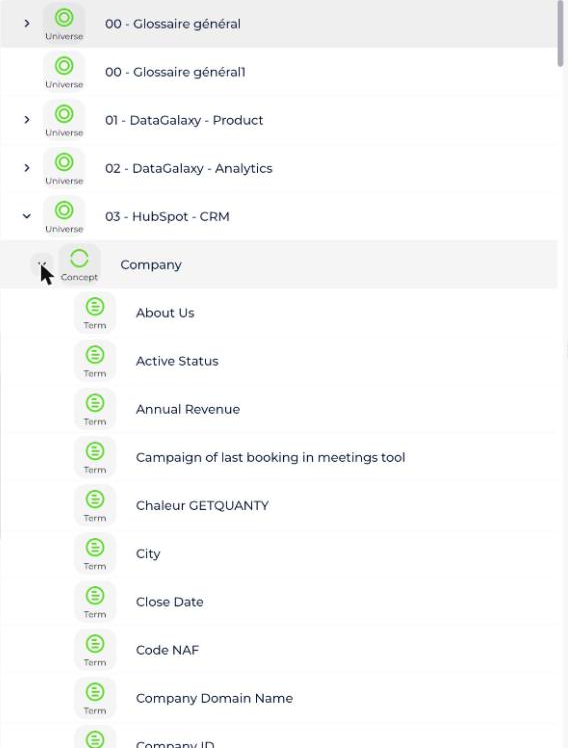
This view makes it easy for everyone to take ownership, thanks to its graphic nature. But it may be necessary to link concepts to secondary groupings in order to provide a matrix view. An object can thus belong to a universe but also to other groupings. This is the purpose of the domain object.
We can then highlight the different data groups to which a notion is attached. For example, the business term email address in the universe Customer (individual) is managed by the Marketing domain.
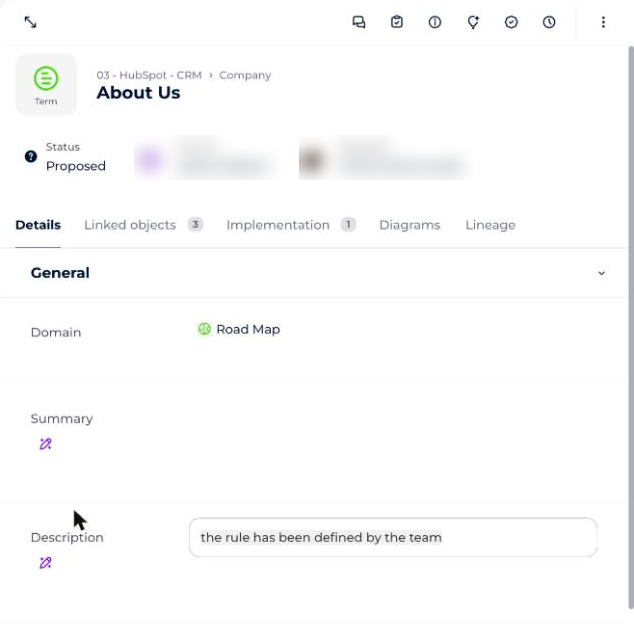
We thus create a particularly powerful matrix view. An object can:
- Have a primary hierarchy, which creates data verticals: for example, to represent reference data
- Be linked to different secondary groupings: this highlights other notions such as data domains or particular data typologies
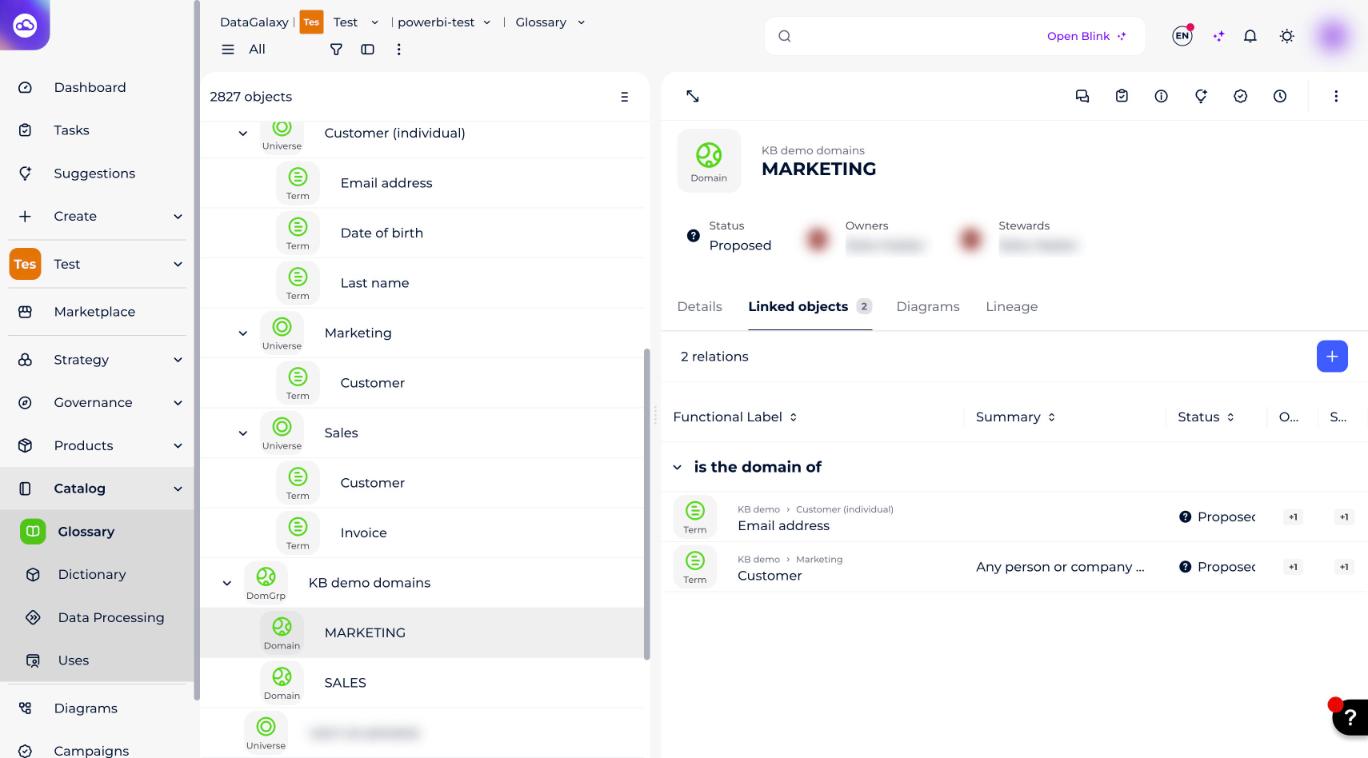
In the example below, the MARKETING domain groups business terms that sit in two different universes (Customer (individual) and Marketing):
How to use universes and domains in the other modules
Universes and domains are not limited to the glossary. They also structure the objects of the other modules. You can:
- Link dictionary, usage or processing objects to a universe
- Link dictionary, usage or processing objects to several domains
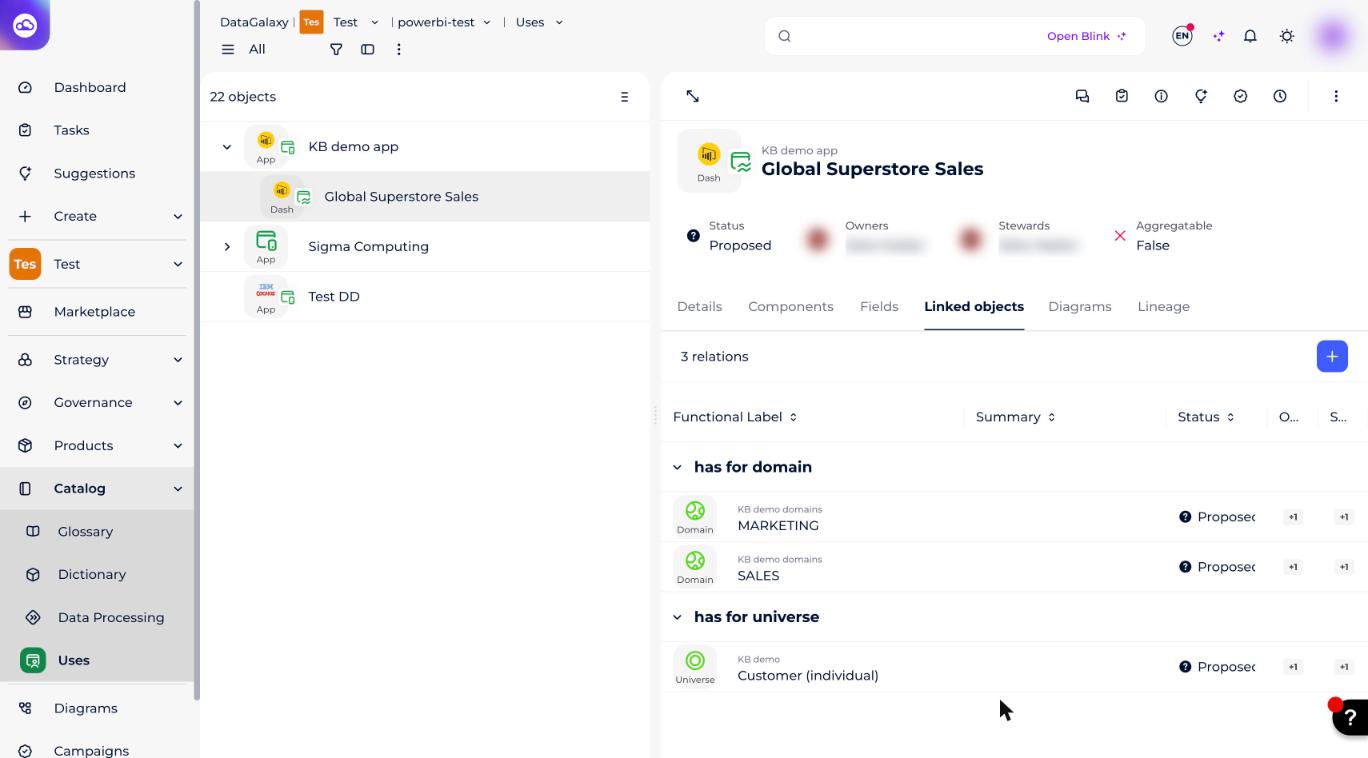
For example, the global super store sales dashboard has Customer as its universe and is linked to two domains: Marketing and Sales.
How to go further
The notion of domain is important for modeling, and it also lets you:
- Display membership of a universe or domains directly on an object's page: this is the shortcut attributes function (see "Manage shortcut attributes"), which makes it easier to identify an object's groupings
- Launch a search (see the keyboard shortcuts in the Toolbox)