A DataGalaxy catalog is built from objects: each module holds its own, every object is identified by a path, and the metamodel links them into one coherent view of your data.
Why a metamodel?
Data management is a fragmented field, for historical and organizational reasons. Several players legitimately work on the same data:
- IT teams manage storage: how data is implemented and modeled in databases.
- Data engineers administer flows: how data moves between databases (format changes, consolidation, joins).
- Business teams hold the functional understanding: what the data means, its use cases and validity.
- Data services (BI, analytics) make aggregated or raw data and indicators available in reports.
As the number of players, the volume and the diversity of data grow, it becomes hard for anyone to build a complete, understandable picture. The DataGalaxy metamodel creates bridges between these points of view, so that you get a coherent view of data in its environment.
Why connect information?
Knowing where data is stored, or having a map of the available reports, is useful. The real added value comes from linking those views together and combining them with business meaning and the transformations the data goes through.
For example, knowing that table T_Prosp in the Tiers database holds the information ID_NAME is interesting. Linking it to other modules is far more powerful:
- Glossary: it is the Prospect name, a person whose identifiers were captured on our website.
- Data processing: it is consolidated with the customer database to check for duplicates.
- Uses: it is used in an extract provided to our partners.
The goal is to link information across modules to get a 360° view of the data (meaning, storage, processing, use), relate the different notions, and identify management impacts.
How fine should the links be?
DataGalaxy supports very fine-grained links, but the right granularity depends on:
- Your data maturity: for a first mapping, going field by field is time-consuming for proportionally little value, and can discourage you. Mapping the big blocks first works better.
- Your ability to maintain the links: data keeps evolving, so field-level mappings can quickly become a heavy burden.
- The need expressed in your use cases: there is no point mapping every field to flows if the goal is to know the business meaning of a piece of data.
- The expected value: there is no point linking fine-grained databases that aren't strategic.
DataGalaxy lets you link:
- the physical location of data with its meaning, flows and uses: the dictionary objects with those of the three other core modules;
- the definitions of data with their use: the uses objects with the glossary objects.
What is an object?
Every object belongs to a module. Each object has a path: the hierarchy it is attached to, which is also its unique key. All objects are identified by their path, which also appears in imports. The path tells you the object's context and how it ranks against other objects.

There are two ways to attach an object to a parent:
- when you create the object, by filling in the parent field (when the object can have parents);
- through shortcut attributes on the object card. See Manage Shortcut Attributes.
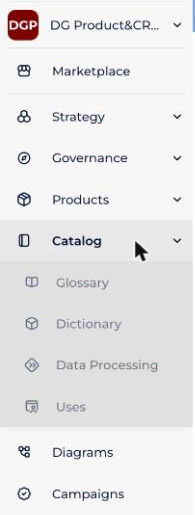
What objects does each module hold?
| Module | What its objects are for | Objects |
|---|---|---|
| Glossary | Create properties and relations between them, building a knowledge base for business and technical users: document, classify and add dimensions to your data. | 11 |
| Dictionary | A shared representation of your data sources, structured or not. Objects are organized around four kinds of source: databases, storage files, NoSQL databases and tagbase sources. | 14 |
| Data Processing | Define the data flows between properties or columns (depending on whether they are seen functionally or technically), within a source or between the sources of a project. | 3 |
| Uses | Explain where data comes from and analyze the impact of changing a piece of data on the other data. | 12 |
| Strategy (optional) | Define the company's strategic objectives and initiatives and the associated use cases. | 3 |
| Governance (optional) | Define governance policies, their implementation rules and the monitors that watch whether policies are applied. | 6 |
| Products (optional) | Define the company's catalog of data and AI products. | 2 |
The Strategy, Governance and Products modules are optional: contact your account manager to enable them.
For the role and parent-child relationships of each object, see the detailed article of each module: Glossary module, Dictionary module, Data Processing Module, Uses module, Strategy module, Governance module and Products module.