A user's license level decides what they can do in DataGalaxy. As a client-space administrator, you can see and change the level assigned to each member of your team.
For an overview of the license types DataGalaxy offers, see Overview of License Management.
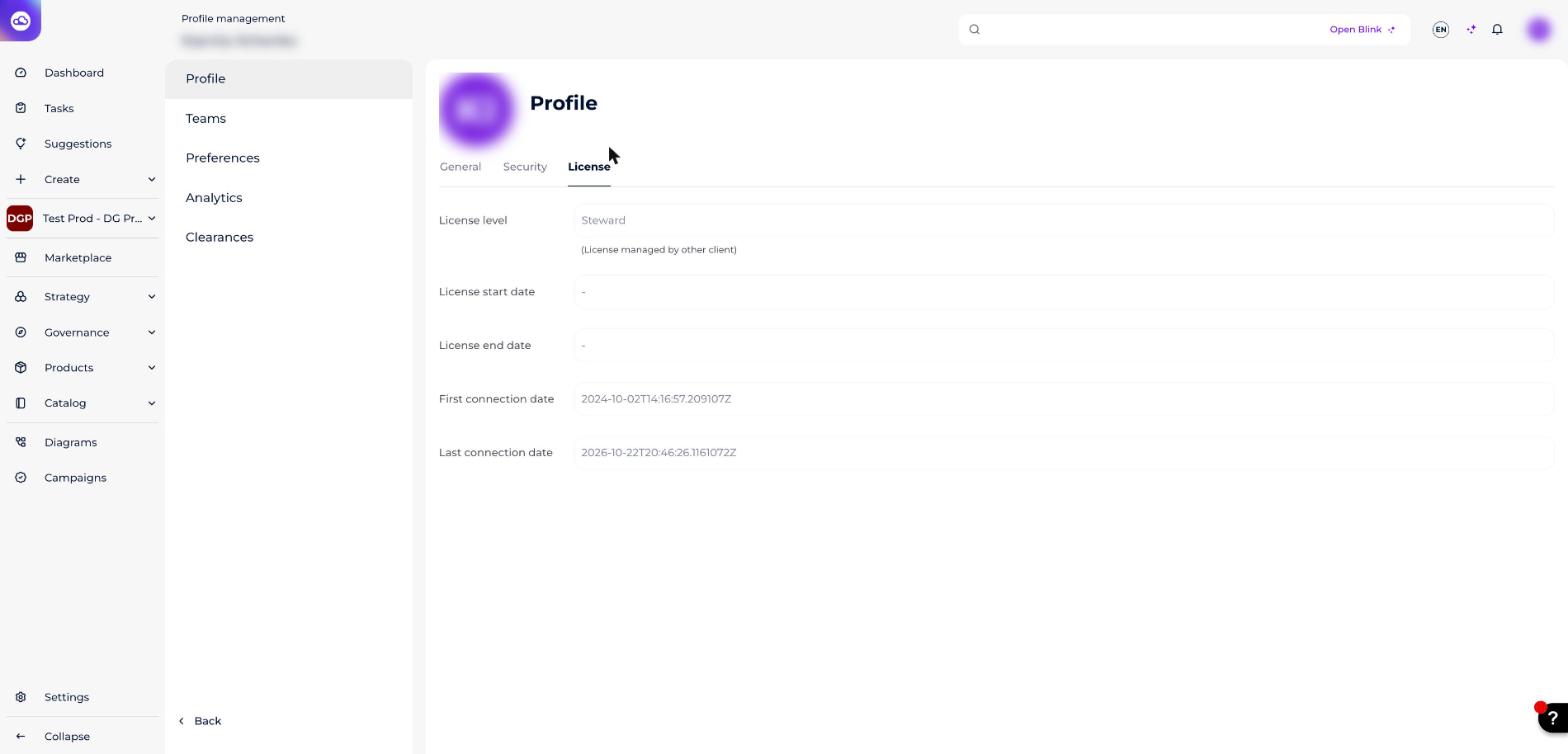
How do I view the licenses assigned to my team?
You can view and change users' license levels only if you're a client-space administrator.
- Go to the administration area.
- Select the Team tab.
- Read the license level row on each user's profile.
How do I change a user's license?
- In the administration area, open Users.
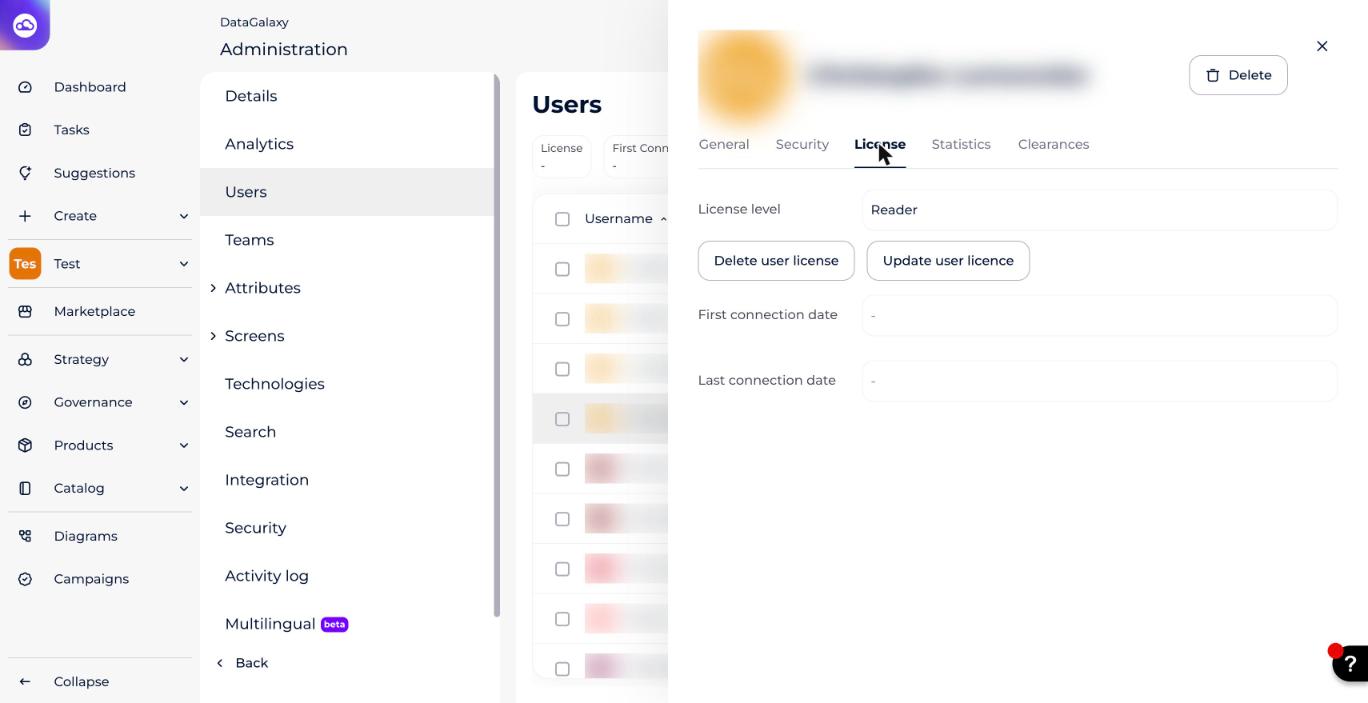
- Click the user, then go to the License tab.
- Click Update user licence to change the level, or Delete user license to remove it.
How do I check client-space administrator status?
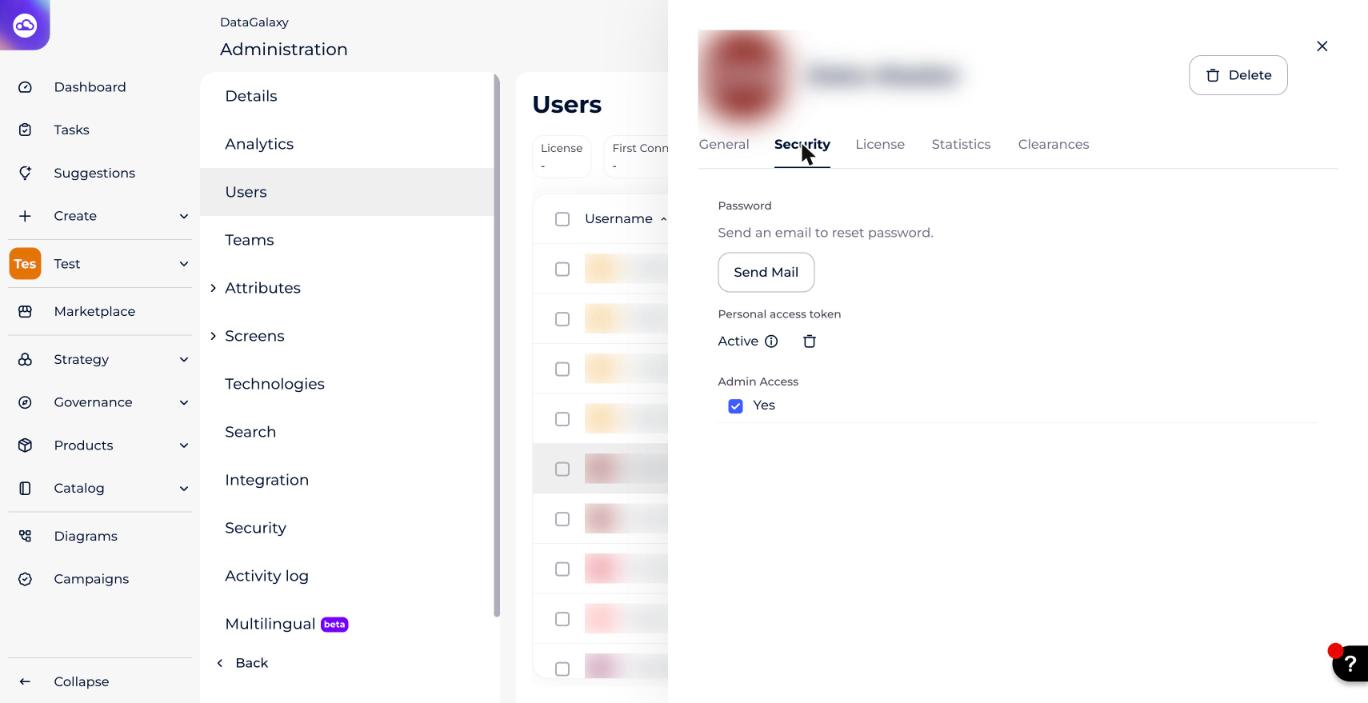
You can check whether you have client-space administration access by looking at whether the Admin Access box is checked. The checkbox is in the Security tab of the user's panel.
DataGalaxy doesn't cap the number of client-space administrators. However, since changes at this level affect the whole platform, we strongly recommend limiting access to only 2 or 3 users.